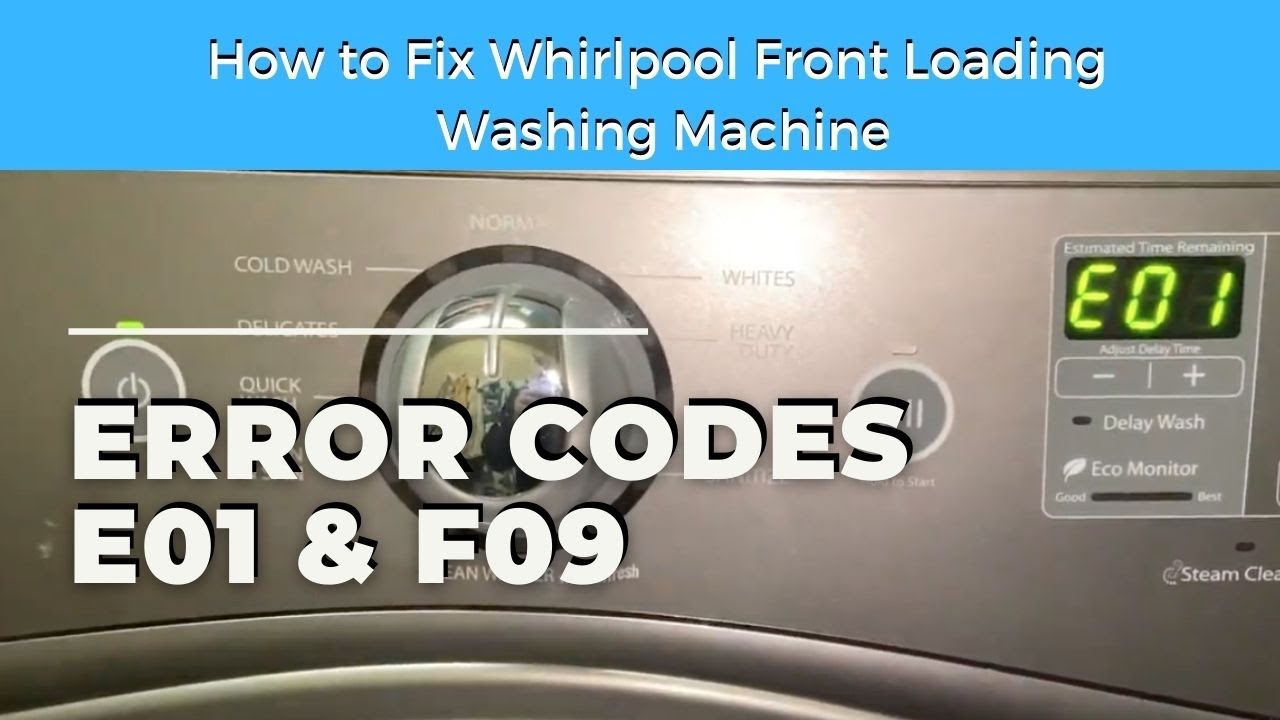
Are you frustrated with your Whirlpool washer displaying the “F9” error code? You’re not alone; this error indicates a heater relay fault, which can halt your wash cycles and leave you with unwashed clothes.
The last thing you want is a machine that can’t heat water properly, and I completely understand how inconvenient that can be. Fortunately, there are steps you can take to diagnose and resolve this issue effectively.
In this post, we’ll discuss identifying the problem components, such as the heater relay and wiring, and provide you with a comprehensive guide to troubleshoot and fix the error.
By the end, you’ll have the knowledge to get your washer back in working order. Read on to learn how to tackle this frustrating issue head-on!
Understanding the Problem
What causes the Whirlpool washer error code F9? This error code usually indicates a heater relay issue, which can hinder your washer from properly heating water. The most common causes include a faulty heater relay, problems with the wiring, or a malfunctioning control board. You may observe that your washer stops mid-cycle or fails to heat the water during a wash.
To troubleshoot this issue effectively, follow these steps:
- Inspect the Wiring: Start by examining the wiring for any visible signs of damage. Look for frayed wires or loose connections, as these could interrupt the electrical flow.
- Check Connections: Ensure that all connections are secure. Loose connections can lead to erratic behavior and may contribute to the error.
- Test the Heater Relay: Use a multimeter to test the heater relay. This tool will help you determine if the relay is functioning correctly or if it needs replacement.
If you identify any faults during these steps, replacing the defective component—whether it’s the heater relay, wiring, or control board—can typically resolve the error.
Additionally, regular maintenance of your washer can help prevent issues like this from arising in the future. Understanding these common causes and troubleshooting steps will empower you to address the problem safely and effectively. Remember, safety is paramount, so always unplug your appliance before conducting any repairs.
Required Toolkit
To effectively troubleshoot and resolve the Whirlpool washer error code F9, it’s crucial to have the right tools at your disposal. Here’s a straightforward guide to assembling your toolkit.
To troubleshoot the Whirlpool washer error code F9, having the right tools is essential for effective resolution.
- Multimeter: This is essential for checking electrical components. By testing the voltage and continuity, you can determine if parts like the door lock or water level sensor are functioning correctly.
- Screwdriver Set: A good set of screwdrivers (both Phillips and flat-head) will allow you to access the internal components of your washer without any hassle.
- Pliers: Keep a pair of pliers handy for tightening or loosening connections, especially when working with clamps or wiring.
- Flashlight: Working in dark spaces can be tricky. A reliable flashlight will help you see what you’re doing, making it easier to identify issues.
Maintenance Tips: Regularly inspect your washer for loose wires and connections. This simple step can save you from more significant issues down the line. Be mindful of common pitfalls, like overlooking worn-out components or misdiagnosing the problem due to inadequate tools.
Safety First
Before diving into repairs, ensuring safety is paramount to prevent accidents and injuries. The first step is to disconnect your Whirlpool washer from the power source. This action is crucial for maintaining electrical safety during any DIY troubleshooting. Always opt for insulated tools to reduce the risk of electric shock. If you’re going to be working with internal components, it’s wise to wear protective gear, such as gloves and goggles, to protect yourself from sharp edges and other potential hazards.
Maintain a clean and dry work area to help you stay focused and minimize risks. It’s also important to familiarize yourself with your washer’s manual, as it often contains essential safety information specific to your model. If you ever feel uncertain about a particular step or procedure, don’t hesitate to reach out to a professional. Prioritizing your safety and ensuring the proper function of your appliance should always come first. Remember, well-informed decisions lead to successful repairs.
Confirming the Diagnosis
After ensuring your safety, let’s move on to confirming the diagnosis of the F9 error code on your Whirlpool washer. This process involves a few straightforward steps that will help you pinpoint the issue effectively.
First, you’ll want to conduct a visual inspection. Check the heater relay for any signs of damage or corrosion, as these can be indicators of a malfunction. Next, using a multimeter, test the relay’s resistance. Make sure that the readings align with the manufacturer’s specifications; this is crucial for determining whether the relay is functioning properly.
After that, examine the wiring harness. Look for any loose connections or signs of fraying, as these can lead to intermittent issues and may be the source of the error code.
Here’s a summary of the steps to follow:
| Step | Action |
|---|---|
| 1. Visual Inspection | Check the heater relay and connections |
| 2. Multimeter Test | Measure the resistance of the relay |
| 3. Wiring Check | Inspect for damaged or loose wires |
| 4. Record Findings | Document your results for future reference |
The Step-by-Step Repair
Once you’ve confirmed the diagnosis of the F9 error code, it’s time to proceed with a systematic repair process. Start by consulting your diagnostic checklist to pinpoint potential common causes, such as a faulty heater relay or issues with the wiring.
Before you begin, safety is paramount: unplug the washer to avoid any electrical hazards. Next, carefully remove the back panel to gain access to the internal components.
Safety first: always unplug the washer before starting repairs and remove the back panel for access to internal components.
Using a multimeter, check the heater relay for continuity. If the multimeter indicates a lack of continuity, this suggests that the relay is defective and should be replaced. It’s also essential to inspect the wiring for any signs of wear, fraying, or damage. If you find any issues, repair or replace the damaged wiring to ensure a safe and effective operation.
After addressing these components, reassemble the washer and plug it back in. It’s a good idea to run a test cycle to confirm that the F9 error code no longer appears. If the error persists, further investigation into other possible causes may be necessary, and I recommend consulting the appliance’s manual or seeking professional assistance if needed. Remember, taking your time and ensuring each step is completed correctly will lead to a successful repair.
When to Call a Professional
Completing the repair process for the F9 error code can be manageable for those with some technical skills. However, if you’ve tried DIY tips and continue to encounter problems, it’s time to consider reaching out to a professional. Missteps, such as misdiagnosing the issue or incorrectly handling electrical components, can lead to further complications or safety risks.
If you’re feeling uncertain about tasks like checking wiring, replacing the relay, or testing the heating element, it’s prudent to seek expert assistance. Remember, it’s perfectly normal to feel overwhelmed during a repair process, and there’s no shame in asking for help. Professionals possess the right tools and extensive experience to tackle these issues efficiently, ensuring your washer operates safely and effectively. This not only protects your personal safety but also maintains the integrity of your appliance. Always prioritize safety and reliability in your repair endeavors.